Lights, Camera, Conversation: How Video Marketing Can Drive Your Interior Design Business

Lights, Camera, Conversation: How Video Marketing Can Drive Your Interior Design Business

If you've been paying attention to social media trends lately, you know that video marketing is dominating the digital space. From Instagram Reels to YouTube Shorts, people are consuming more video content than ever before. And guess what? You can absolutely leverage this trend to boost your interior design business. Video content isn’t just for big brands—it’s a powerful tool for interior designers like you to increase visibility, grow your brand, and connect with potential clients. Don’t worry if you’re not a video pro; let’s break it down and see how video marketing can be a game-changer for your design studio in 2025.

Read More

Diverse Design Niches with Elite Design Assistants

At our core, we're more than just a team of talented assistants. We're a diverse group of professionals with an array of specialties ranging from Drafting and 3D Rendering to Project Management, Social Media Management, and Bookkeeping. But what you may not know is that many of our Virtual Design Assistants (VDAs) also have expertise in various design niches! Let's explore some of these niches and the kinds of tasks our VDAs are ready to assist you with:

Residential Design

At Elite Design Assistants, you'll find experts in optimizing space layouts and selecting color palettes, materials, and furnishings. They also bring your ideas to life through detailed drafting and immersive 3D visualizations.

Commercial Design

Count on our assistants to craft innovative and captivating retail spaces, seamlessly integrate corporate branding, and manage every aspect of project coordination for a successful outcome.

Hospitality Design

Our team includes professionals who can help you with conceptualizing themes for hotels, restaurants, and bars. They excel in curating custom furniture and decor, enhancing guest experiences through thoughtful design, and effectively managing budgets.

Construction

We offer expertise in reviewing plans, meticulously documentation, ensuring top-notch quality control, managing schedules, and sourcing materials at competitive rates.

Tiny Home Design

For those seeking compact living solutions, we have experts in ingenious space optimization, creative storage solutions, functional traffic flow, and the incorporation of sustainable materials, which is often a key aspect of tiny home design.

Airbnbs and Short-Term Rental Design

Chat with your VDA about how to elevate your short-term rental spaces. They shine when it comes to interior styling to attract guests and offer strategic recommendations for guest-friendly amenities and decor.

Long-Term Rental Design

Elite Design Assistants brings you specialists in designing spaces with long-term tenant comfort in mind, and they suggest updates to enhance rental value to make the rental a low-hassle, profitable venture for you.

Value-Add Projects

We have professionals who are experienced in enhancing property values through cost-effective renovations. They offer budget-conscious renovation ideas, high ROI improvement suggestions, and provide dependable project management for value-adding renovations.

Historical/Heritage Preservation

We have assistants who are well-versed in preserving historical homes or buildings. They specialize in respecting period-appropriate design while harmoniously incorporating the best and newest design trends.

Corporate Office Design

Within our team, you'll find VDAs who excel in designing modern, ergonomic workspaces. They integrate brand identity into interior elements and select office furniture that aligns with your vision.

Co-Working Space Design

Our assistants are skilled in crafting flexible and collaborative workspaces. They suggest amenities that foster community, offer flexible design solutions, and implement strategies to attract and retain tenants.

Cannabis-Related Projects

We have VDAs who are in the know about the evolving cannabis industry and specialize in designing contemporary, compliant, and inviting spaces.

Smart Home Design

Gain valuable insight and assistance with home automation or domotics, smart lighting, security systems, and user-friendly interfaces to create the ultimate modern living spaces.

E-Design

Our VDAs can virtually transform spaces, create inspiring mood boards, and curate detailed shopping lists to bring your vision to life with ease.

No matter your unique design niche, we're here to support you in your work. Whether you need assistance with administrative tasks or require a dedicated partner to help you bring your design visions to life, reach out to us, and we'll match you with a Virtual Design Assistant who is the perfect fit for your project. Your success is our priority, and we're excited to be a part of your design journey.

xx, Danae
A Breakdown of 7 Software Solutions for Your Interior Design Business

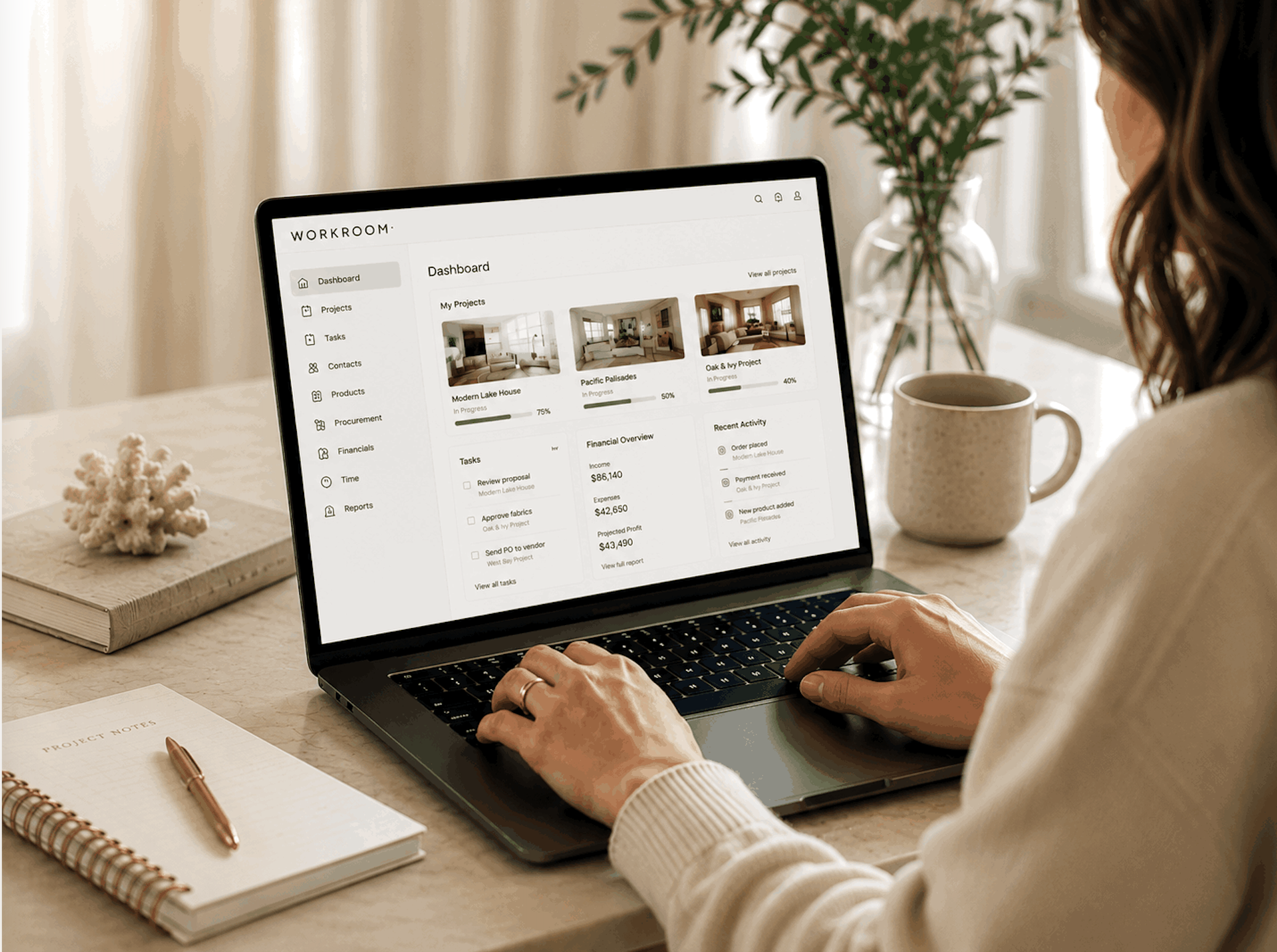
Navigating the business of interior design often feels like an ongoing journey of trial and error. Perhaps you've found yourself switching between various programs and platforms, seeking that elusive efficiency. The nagging feeling that there must be a resource out there to help you avoid redundant work and prevent important details from slipping through the cracks is all too familiar. Well, good news – I've done some of the homework for you. In this article, you'll find an overview of the most promising players in the realm of project management software. Let's dive in!


1. StyleRow

  • Who it's for: Interior designers and design professionals

  • What's great about it: StyleRow offers a seamless platform that combines project management with sourcing and procurement. Its powerful integrations with industry suppliers and manufacturers make it a one-stop solution for managing projects from conception to completion.

  • Considerations to note: The learning curve for fully utilizing all features can be steep for beginners.

  • Pricing: StyleRow offers a free version with limited features, and premium plans start at $49/month. Try their 14-day free trial.

2. Dubsado

  • Who it's for: Service-based businesses including interior designers

  • What's great about it: Dubsado is renowned for its customizable forms, contracts, and automation features. It enables designers to streamline client onboarding, track project progress, and manage payments, all in one platform.

  • Considerations to note: The user interface can be overwhelming initially, and some users might find the design customization options a bit limited.

  • Pricing: Dubsado offers a free trial with limited features, and plans start at $20/month or $200/year.

3. Monday

  • Who it's for: Teams of all types, including interior design teams

  • What's great about it: Monday is a highly visual and versatile platform that helps teams manage tasks, projects, and workflows. With customizable templates, it's easy for designers to tailor the platform to their specific needs.

  • Considerations to note: The pricing can be relatively high for smaller design firms, and the learning curve might be steeper for some users.

  • Pricing: Monday offers various pricing tiers, starting at $0 for 2 seats or $24/seat per month for unlimited seats. You can try most of their plans with a 14-day free trial.

4. Materlog

  • Who it's for: Interior designers and architects

  • What's great about it: Materlog is designed specifically for design professionals, offering procurement tracking and supplier communication services to take those tasks off your plate.

  • Considerations to note: Some users might miss more features such as visual presentations of selections by room.

  • Pricing: Materlog starts at $45 per month, and they currently have a waitlist. You can also contact them for a tailored pricing plan.


5. Alcove

  • Who it's for: Interior designers, builders, and purchasing agents

  • What's great about it: Alcove combines project management with visual collaboration. Designers can create mood boards, gather feedback, automate tracking, and manage orders and financials seamlessly, all in a visually appealing environment. It even offers Gmail integration.

  • Considerations to note: It’s a newer platform and, consequently, not as tried-and-true as some others.

  • Pricing: Plans start at $75/month. Try their 30-day free trial.


6. Gather

  • Who it's for: Mid- to large-size interior design teams

  • What's great about it: Gather is designed to streamline the procurement and tracking of FF&E. It helps designers manage specifications, documentation, orders, and tracking in a user-friendly way. Gather includes useful features like a clipper tool and messaging with team members and clients.

  • Considerations to note: It may be cost-prohibitive for smaller design firms.

  • Pricing: Gather’s plans start at $165/monthly (annual commitment) for 5 seats, and they also offer custom pricing for teams larger than 10. A free trial can be requested.

7. Gold Star Pro

  • Who it's for: Interior designers and design firms

  • What's great about it: Gold Star Pro offers an all-in-one back-end business management solution for everything from social media content scheduling to Facebook and Google ads to email communication. Its interface makes it easy for designers to stay organized and keep clients informed. Basically, it takes care of the essential tasks that are furthest from actually designing.

  • Considerations to note: While this software effectively aids in managing various backend aspects of business operations and promotion, it doesn’t include many of the features that design project management programs often do include, such as product libraries or order tracking.

  • Pricing: Gold Star Pro offers a 14-day free trial, with plans starting at $97/month.

As you can see, a diverse array of programs is emerging, aimed at alleviating the operational demands of the business facet within the realm of interior design. Fortunately, you can take advantage of the free trials that these offer and find the program that is most aligned with your own firm. Discovering the perfect match has the potential to be transformative for your interior design business!

xx, Danae

Join the Conversation: Bridging the Gaps in Interior Design Software

Whether you're a seasoned industry expert or a budding designer, the demand for comprehensive software solutions is on the rise. Despite the availability of numerous popular platforms, there persists a longing among interior designers for a system that bridges the functional gaps and takes their productivity to new heights. As an advocate for enhancing the industry, I believe it's time to initiate a meaningful conversation and identify the missing pieces. By doing so, we can inspire developers to bridge these gaps and create the ultimate all-in-one solution that seamlessly integrates project management and administrative features, meeting the common functional needs sought after by designers like you.

I invite you to explore this (surely incomplete) list of functions that I repeatedly hear designers seeking in a project management program. What would you add?

  • Task Tracking

  • Time Tracking

  • Procurement Tracking

  • Project Timeline & Milestones

  • Team Communication

  • Client Communication

  • Vendor Portfolio

  • Material & Product Library

  • Clipper Tool Extension

  • Design Resource Library

  • File Storage

  • Moodboard & Presentation Creation

  • 2D & 3D Drawing

  • Budget Tracking

  • Template Creation

  • Invoicing & Purchase Orders

  • Bookkeeping

  • Performance Analytics

  • Mobile App Compatibility

And to think these are just some of the many moving parts that designers juggle behind each beautiful project! Beyond these crucial functions, I often come across shared grievances from designers concerning the project management program they utilize. Do any of these hit close to home for you?

  • Poor User Interface (UI) Design

  • Limited Integration

  • Complexity and Learning Curve

  • Limited Collaboration and Communication Features

  • Insufficient Customization

  • High or Inflexible Pricing Plans

  • Unreliable Customer Support

Calling all the visionary minds shaping the industry! It’s time to share your thoughts on the improvements and features you would like to see in interior design software. If you would like to participate in our questionnaire, feel free to draw inspiration from the points above that ring true for you or add your own unique insights. We’d love to hear from you!

TAKE OUR BRIEF SOFTWARE QUESTIONNAIRE

We eagerly await your insights and thank you for being a part of this journey towards innovation and excellence in the interior design industry!

xx, Danae

Feel Joy, Balance, and Abundance in Your Business with The Interior Design Standard

As you know, Elite Design Assistants takes pride in providing helpful tips, information, and resources to you about the interior design industry that will help you succeed in running the most fulfilling and profitable business possible. That’s why we want to share The Interior Design Standard with you! 

It’s time to get your structure and mindset in place so that you can fully step into your confidence as an entrepreneur. The Interior Design Standard is the ONLY program that provides a turnkey business model for a wildly profitable design firm.  

The Interior Design Standard was created by Sandra Funk, CEO and Creative Director of House of Funk, a boutique interior design and renovation firm that has award-winning designs featured in publications such as Elle Décor, House Beautiful, The Huffington Post, Aspire Design and Home, and Luxe Interiors + Design. 

WHY IS THE INTERIOR DESIGN STANDARD FOR YOU?

With hundreds of designers saying the Standard has changed their lives, we wanted to break down why you should be looking at this program. It’s for you if…

  • You’re tired of all the different ways of doing business and you’re ready for ONE tried and true business model that both you and your clients will love. 

  • You’re stuck in the day-to-day tasks and lack the systems and processes to get your team running like a well-oiled machine while you’re out landing dream clients. 

  • You’re looking for a trusted advisor to give you the step-by-step process that’s been tested over a 20+ year career and by hundreds of designers. 

If any of the above resonates, The Interior Design Standard is for you!

WHAT’S INSIDE THE INTERIOR DESIGN STANDARD?

Delivered in a friendly digital format, this program enables you to digest and implement at your own pace because you have lifetime access! The program includes 6 modules showing you all the things you need to take your business from surviving to thriving. 

Modules Include: 

  • Module 1: Master the Tech to Catapult Ahead

  • Module 2: Confidently Price Your Services for Ideal Clients

  • Module 3: Attract & Land Ideal Clients

  • Module 4: Scale with Streamlined Processes

  • Module 5: Improve Your Buying Power & Trade Relationships

  • Module 6: Develop Your Dream Team

Editable process and contract templates along with live virtual community events, access to the ultimate design community: the Standard Inner Circle, and 4 expert lessons make this program AMAZING!

Expert Lessons Include: 

  • Budgeting for Profit with Peter Lang of the Designer CPA

  • Mindset Matters with Jordan Gill of Systems Saved Me

  • Closing the Sale with LuAnn Nigara of A Well-Designed Business

  • Automation for Success with Nicole Heymer of Glory & Brand

STILL THINKING ABOUT IT? 

Maybe you desire to work with fewer, larger projects, to break into your dream market, or to finally set up systems. Whatever your reason, if you’re determined to transform your firm into a thriving interior design business that will run so efficiently that you will have time to do what you love (the design part!), this program is for you! 

AN ELITE BONUS

Any NEW designer who signs up using my link will receive 5 FREE HOURS of Admin Services from Elite Design Assistants! Upon registering for The Interior Design Standard using our link, please email me at danae@elitedesignassistants.com to take advantage of this great deal!

The next Standard Session begins on September 24, 2023, and seats are limited to ensure a high-quality community experience!

Get joy, balance, and abundance in your interior design business by reserving your spot today!

RESERVE YOUR SPOT! 

As always, please feel free to reach out if you have questions!

Have a wonderful day! 

xx, Danae

A Deep Dive into StyleRow's Project Management Toolkit

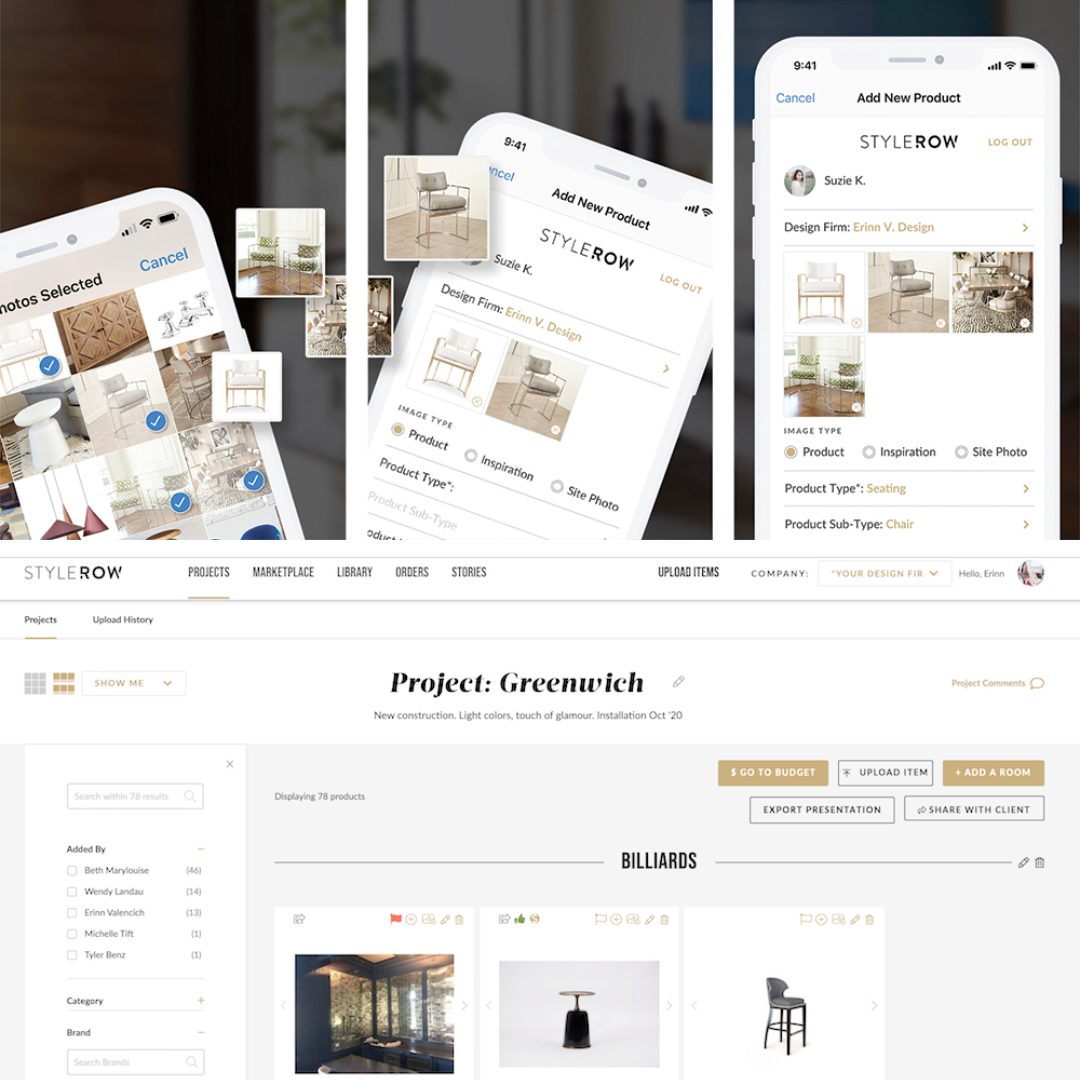
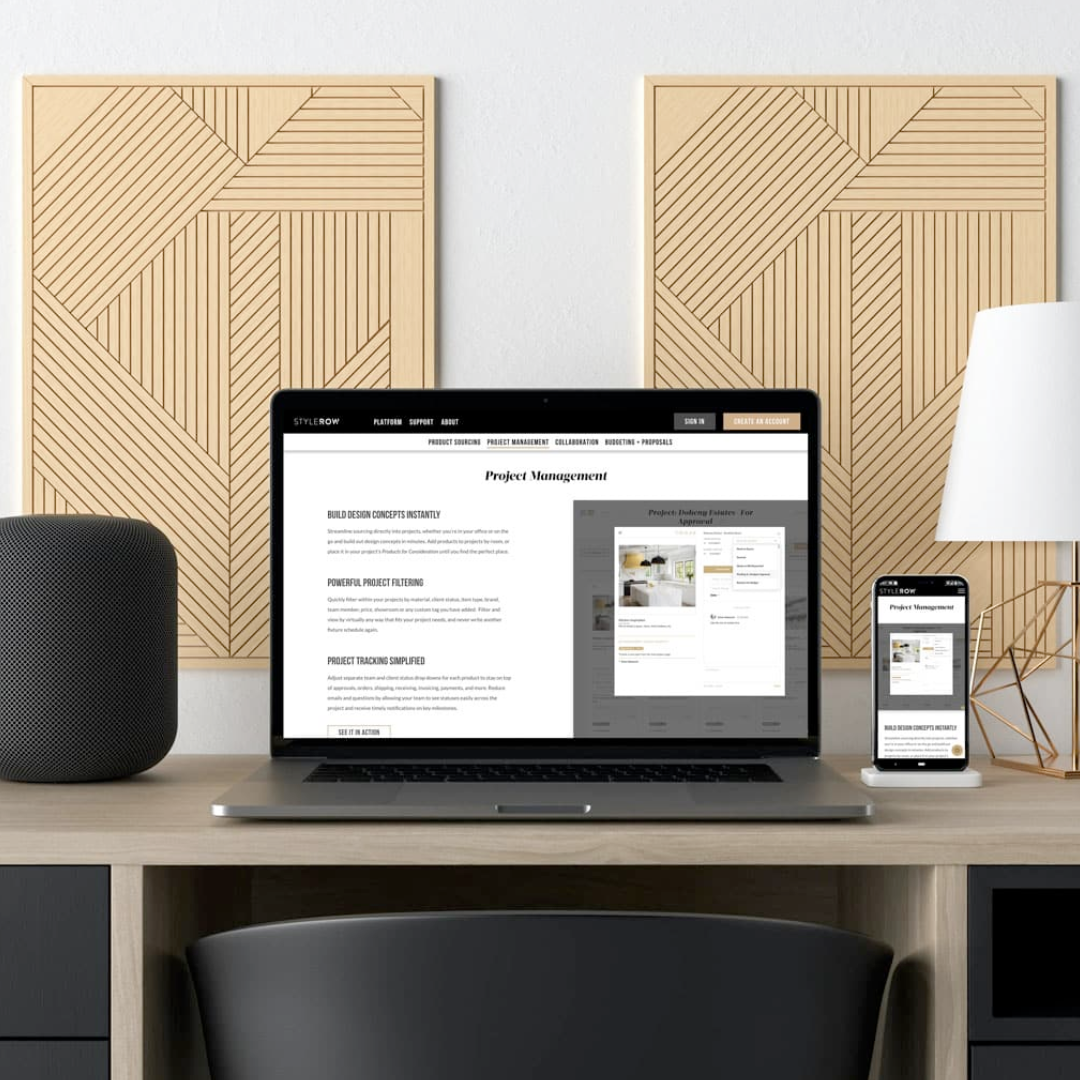
I never miss a chance to discover emerging technologies and innovative software solutions for interior designers, that’s why I recently attended a demo for StyleRow. This platform caters to interior designers, home stagers, developers, and real estate investors, promising an integrated approach to project management that could solve common pain points and redefine your design process. I’m excited to share what I learned and let you see for yourself whether you think StyleRow could be the answer you’ve been looking for.

Connecting Teams, Clients, and Vendors

Communication is the cornerstone of design success, and StyleRow addresses this by providing distinct views for teams, clients, and vendors. This way, you can seamlessly manage task lists and maintain streamlined communication across multiple layers all within the platform.

Streamlined Team Workflow

StyleRow shines particularly brightly in team-based environments. Imagine a scenario where the lead designer compiles a list of required items, which then allows the design assistant to source each of these items seamlessly. This systematic process is meticulously tracked from inception to completion, with the platform sending timely notifications for any updates or revisions.

Centralized Product Information and Progress Tracking

Input all of the essential product information, from pricing to lead times, and keep track of its status with an easy drop-down menu instead of typing out notes each time. Additionally, the Team Messaging tool facilitates real-time progress updates among team members, fostering an environment of collaboration.

Mastering Organization

Simultaneously manage unlimited projects on StyleRow. Inside each project, categorized folders meticulously document every facet, ranging from initial inspiration photos and floorplans to sourcing endeavors. The platform even includes a clipping tool to save products from various vendor and retail sites, all of which can be stored in a master product library. Manage your time with its optional built-in time tracker.

Comprehensive Tools

You can forget about formatting and filling out spreadsheets and doing double work. This is a toolkit for managing every aspect of your projects, from crafting master shipment tracking lists and finish schedules to material schedules and even adding services such as painting.

Empowering Financial Management

StyleRow makes exporting data to Excel or presentation formats a breeze, while the platform's QuickBooks integration facilitates seamless creation of purchase orders and invoices. Moreover, StyleRow provides an embedded budgeting tool to conveniently track client budgets.

Client Dashboard for Enhanced Interaction

StyleRow enhances the client-designer relationship by providing an interactive client dashboard. This dashboard allows clients to view your proposals and sign off on budgets, orders, and more, all through a shared link. As a designer, you retain total control over the information presented, offering a tailored experience for your clients.

Visual and Functional Harmony

Last but not least, the platform is designed in an intuitive and aesthetically pleasing way, which is something that you, as an interior designer, will surely appreciate!

Affordable Pricing

With its wealth of tools and capabilities, StyleRow offers competitive pricing, catering to teams of up to 5 members at $49.99/month and individuals at $29/month or $299/annually.

If you’re curious to see more, check out their introductory video below, book a demo, or take advantage of their 14-day free trial!

xx, Danae


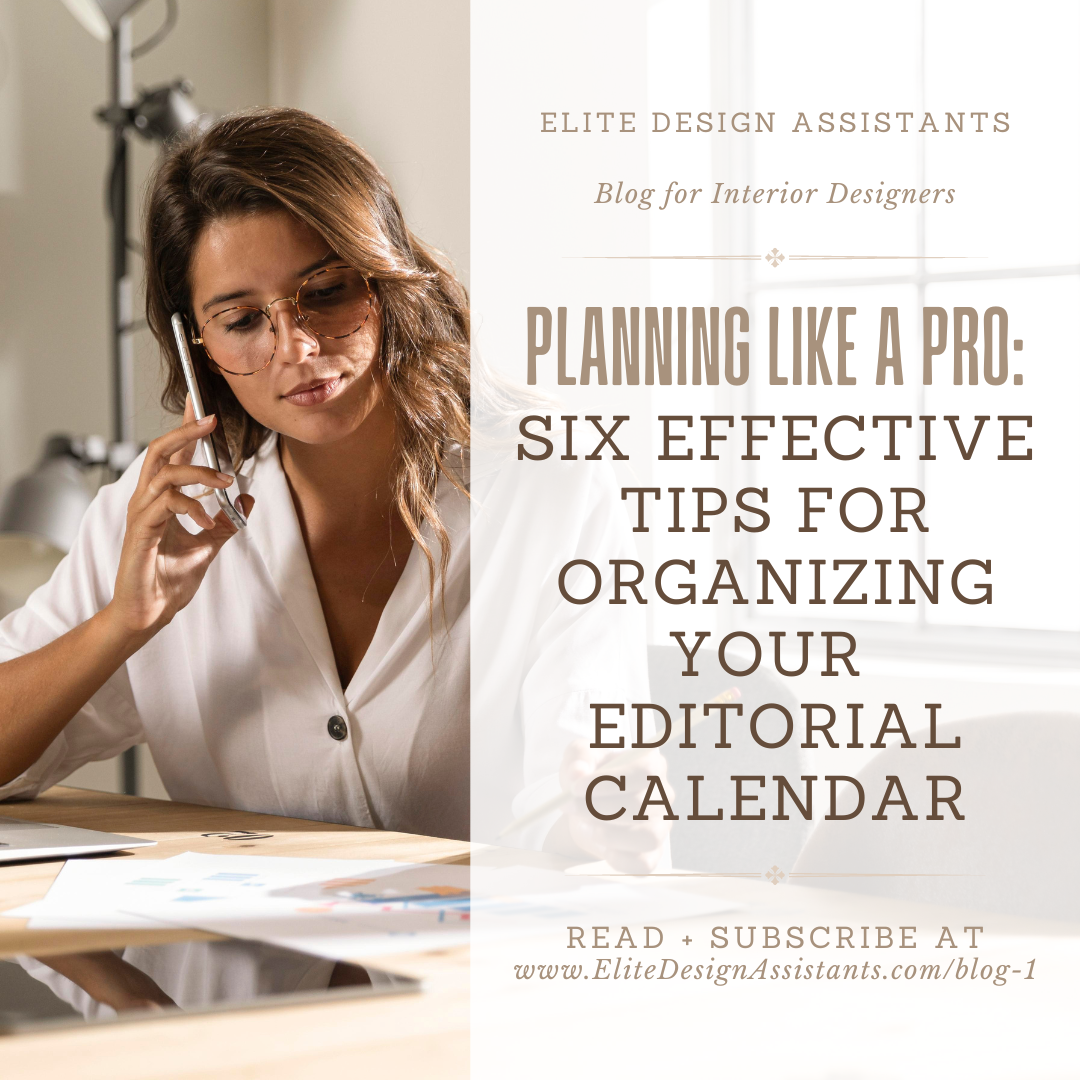
Planning Like a Pro: 6 Effective Tips for Organizing Your Editorial Calendar

If you're reading this, chances are you can understand the struggle all too well. It's the middle of the week, and you haven't managed to share anything on Instagram yet. On top of that, you have a backlog of content from site visits that you haven't had the chance to sift through. As an interior designer, “social media manager” can feel like yet another hat you have to wear... but fear not! By implementing a well-designed editorial calendar, you can bring order to the chaos and find your rhythm in no time. Let’s dive in.

An editorial calendar can be described as a comprehensive plan outlining specific themes, determining the content you'll post on designated days, and scheduling it well in advance, often spanning weeks or even months. This includes photos and videos for social media, newsletters, blog content, and anything else you share online. So, how can you make the most of it?

1. Use an Effective Platform

You may already be using project management software or programs that you could also use for creating your editorial calendar. Incorporate your content into your workspace scope. Asana, Trello, and Monday.com are just a few popular options.

2. Keep Your Files Together

Even if you don’t have time to sort through all your photos and videos the same day, take 3 minutes to do a content dump to a sub-folder, within your master content folder. Name it in a way that allows you to find it easily in the future (e.g. Paint Sample Site Visit).

3. Block Out Your Planning Time

Instead of scrambling to create content in short, stressful bursts, schedule regular time, such as once every two weeks, to sit down and consider your current marketing strategy along with your firm's latest highlights. Map out a plan for the next month and generate ideas for the following months.

4. Set Notifications and Reminders

Having a plan is great, but it can easily slip your mind. Set scheduled reminders to post your content. Some project management platforms integrate with social media management tools, enabling you to schedule and publish posts directly from the platform. Aim to post during high-traffic hours, and keep an eye on the times that tend to be most successful for you.

5. Alternate Types of Content

To keep things fresh and interesting, alternate between different types of content. Include behind-the-scenes progress photos, day-in-the-life reels, images related to your blog posts, seasonal posts, and high-quality portfolio shots. Ensure that everything aligns with your brand identity and aesthetic. Maintain a master timeline of content topics to have a quick overview of your posting history.

6. Outsource

You actually don’t have to do all of this on your own. Conceiving all the ideas behind your content can be time-consuming, yet maintaining an online presence is crucial. Consider meeting with a Virtual Design Assistant to brief them on your brand identity and voice. They can take a lot of the work off your plate, so you can spend more time actually designing!

By calmly curating your content themes and setting a realistic posting frequency, you can ensure a steady flow of captivating posts that resonate with your target audience. Don't be afraid to collaborate with guest contributors and align your content with key events to further enhance your online presence. And remember, a content bank is your best friend for storing and organizing ideas. So, get planning and watch your interior design brand flourish in the online realm!

xx, Danae


DIGITAL TEMPLATES?

We love helping busy interior designers like you! So, in an effort to provide the best resources possible, WE WANT TO HEAR FROM YOU about what templates you’d like to see from us. Browse our current collection of templates here for any you might need or want, and email us at danae@elitedesignassistants.com to let us know what other templates you’d like us to make and have available for instant download! 

Setting Boundaries with Your Interior Design Clients: Myths and Strategies

You’re friendly, you’re responsive, and you show up for your clients. As an interior designer, these are all fantastic qualities that have likely helped you develop strong relationships with your clients. However, without proper boundaries, you may find yourself experiencing scope creep and burnout. Fortunately, there are ways to set boundaries with your clients that will ultimately benefit both you and your business. Let's explore some common myths and counterstrategies below.

Myth: You need to be available to your clients 24/7.

Reality: One of the most important boundaries to establish is how and when you can be reached. Clearly define acceptable channels of communication and schedules, and share these guidelines during the initial consultation. For example, you may want to limit written communication to email or schedule weekly check-ins via phone or video chat. Be sure to establish clear expectations and put them in writing as part of the contract. When laying out your limits, frame them in a positive way. Instead of saying, "Do NOT contact me via text message," you could say, "Our team will be happy to receive your questions via email and offer updates during our weekly check-ins."

Myth: Reasonable clients know better than to call on weekends or ask for extra favors.

Reality: While your clients are probably reasonable people, they may not be familiar with the interior design process. As such, it's your job to educate them about your policies and procedures. Don't assume that certain expectations are obvious; be explicit about them from the beginning of the project. For example, if you charge extra for revisions or changes beyond a certain point, make sure this is communicated in writing and discussed before any work begins. By stating the obvious, you can avoid misunderstandings and help your clients feel more secure about the project.

Myth: If a client makes a request outside of the agreed-upon scope, you should say no.

Reality: Well, it’s important to clarify that you can say no, especially if you don't have the capacity or desire to take on additional tasks or revisions. But can you offer a realistic alternative that works for everyone? Can you outsource certain tasks so you’re not overwhelmed by the added workload? If so, instead of simply saying no, try saying, "Yes, we can do that! However, that task falls outside of the agreed-upon scope and will come with an hourly charge. Shall we proceed?" By offering solutions rather than simply saying no, you can provide excellent service and potentially upsell your services while still keeping your scope defined and fair.

Myth: Texting back really quick on a Sunday isn’t going to eat into your free time.

Reality: If you go against your own word, you risk clients losing respect for them and expecting you to continue texting them back at all hours. It can be easy to forget that clients often feel better cared for when you are assertive and stick to your boundaries because it shows you’re confident in your experience. So avoid making exceptions or bending the rules, as this can lead to confusion. By being consistent, you will create a clear and predictable framework for the project that will help it run more smoothly.

Myth: You'll feel more relaxed if you address business matters right away.

Reality: OK, hold on. I’m not saying to let your tasks pile up beyond control, but subscribing to this belief muddles the line between work and personal life. There will always be things that need your attention, but the fact is they can wait, and it can be a tough learning process to start to accept that you have a full inbox and still stay present and engaged with your downtime activities. Set an automatic email reply if you’re worried about inquiries going unattended. But guarding your personal time is essential to avoid burnout and resentment. Besides, you’ll bring your best energy and performance to work when you rest properly and have a life outside of it.

A final note: Remember that your boundaries are your own, and you don't need to compare yourself to other designers or let anyone tell you how these things are done. Don't be afraid to assert them firmly and as many times as you need to. With clear boundaries in place, you can create a project experience that is both efficient and enjoyable for all, leaving you energized and ready to take on the next challenge.

xx, Danae

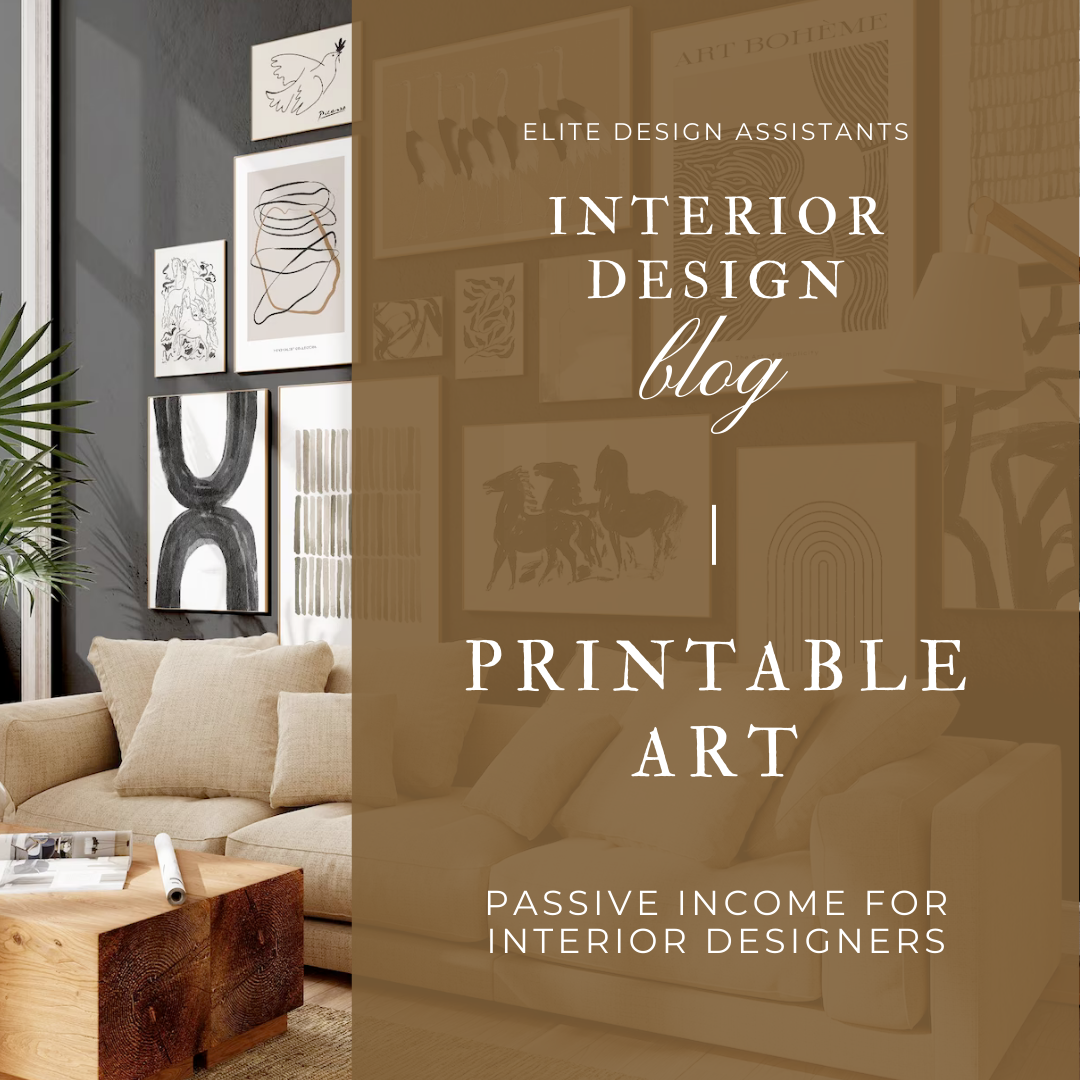
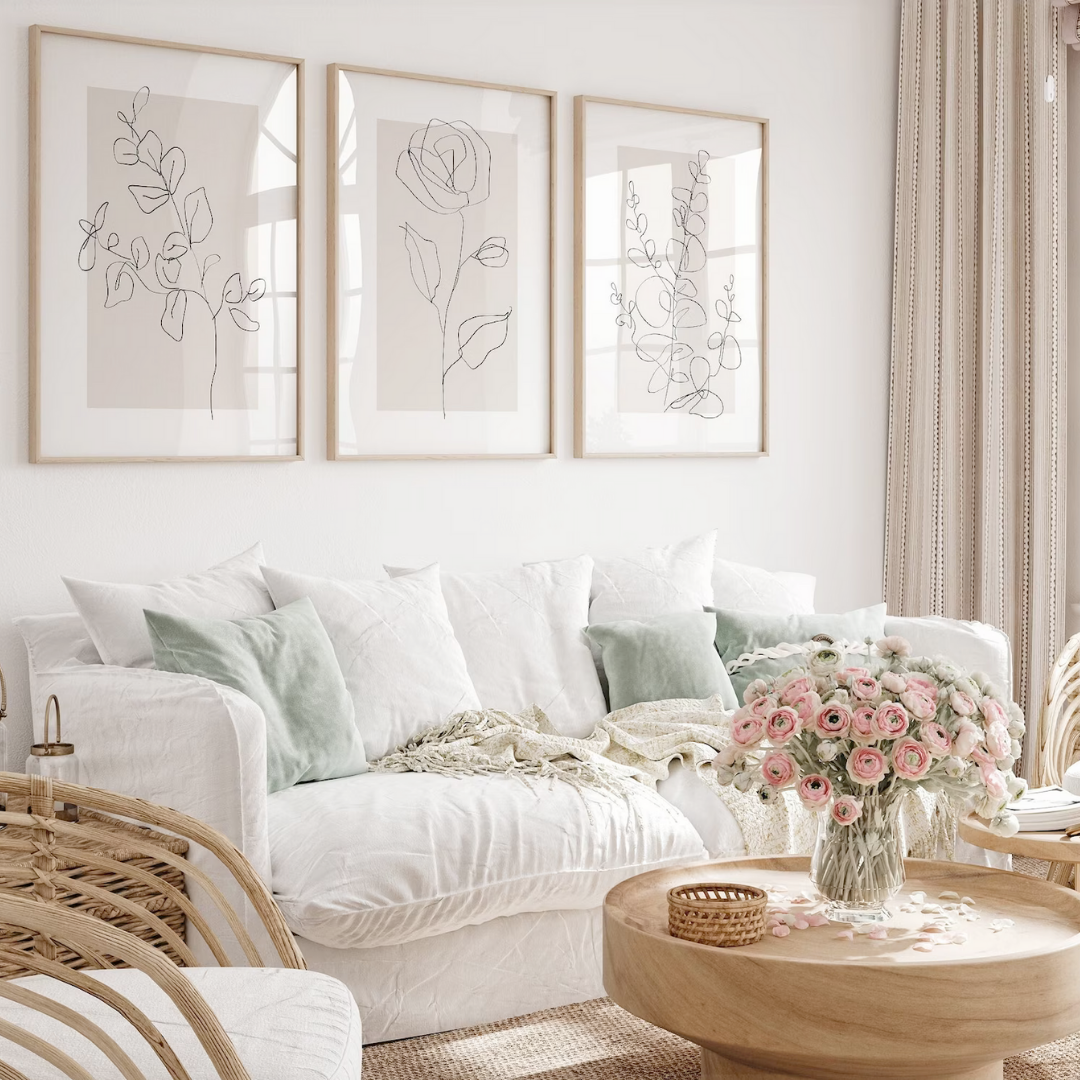
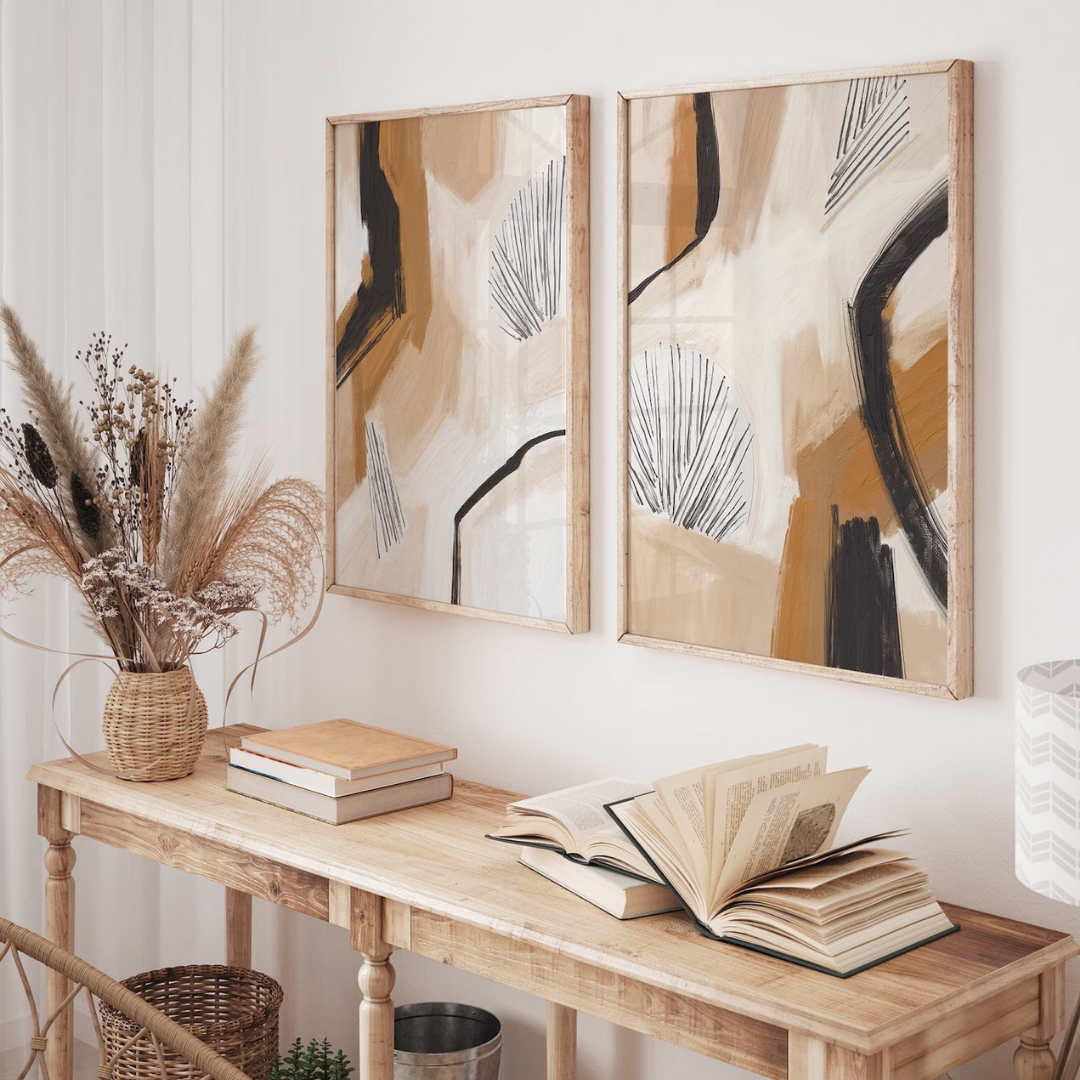
Passive Income for Interior Designers: Printable Art

Interior designers often have creative skills that go beyond their ability to design attractive spaces, including a passion for art and the talent to create their own unique pieces for clients. There are many designers who have created a stream of passive income by selling printable art on their website or on sites like Etsy. This is artwork that they created one time and can sell for years as a digital download, without any additional work.

As a designer, you have the advantage of controlling the selection of artwork for your clients, including choosing the design, size, matting, and framing, and can utilize this skill to create and sell your own artwork on your website. By creating your own artwork, you can not only showcase your artistic abilities but also provide one-of-a-kind pieces for your clients and create another stream of income for yourself. 

Creating digital download printable art is simple and can be done with a basic understanding of design software, such as Canva or Adobe Illustrator, and the ability to save the file in a high-resolution format. Once a designer creates the artwork and converts it into a digital download format, they can sell it repeatedly on their website, making it a great source of passive income. You can market your printable art through newsletters and on social media. If you feature your own art in your interior design projects, you can use your project photos to market your art shop.

If you're interested in selling printable art, there are several platforms you can use to get started, like Etsy, Shopify or even opening a shop on your own website. This is an excellent way to create a stream of passive income while also showcasing your artistic talents.

xx, Danae

How to Attract the Right Design Projects (and Say No to the Wrong Ones)

As an interior designer, you love what you do. But let's be honest, sometimes it's tempting to say "yes" to every project that comes your way, even ones that don’t thrill you. It's easy to think that taking on every job will bring more money, more exposure, and more success. But the truth is that turning down projects is an essential part of running a successful design business. So let’s explore some key considerations for filtering inquiries and rejecting poor matches gracefully.

Identify Your Niche and Goals

Choosing the right project starts with identifying your specialty and interests. Think about your ideal client and the type of design work that excites you the most. For instance, if you're a minimalist designer, it might not be a good fit to take on a project for someone who wants a cluttered and eclectic space. Focusing on your strengths and passions will not only make the project more enjoyable for you, but it will also result in a better outcome for the client and boost your portfolio in the desired direction.

Keep Your Online Presence in Line

Your website and online content are crucial assets in representing your business and its image. Having a consistent brand identity helps to weed out clients who won't resonate with your style or vision. On the other hand, a well-crafted brand image will be more memorable and attract the right clients who share your design philosophy and aesthetic, leading to better projects for you. In addition, if your website provides clear information about your services and pricing, it’s more likely that you’ll hear from people who are already keen on what you have to offer.

Screen Inquiries with Your Questionnaire

Investing time and effort into creating an intentional online inquiry form can save you a lot of future work. Not only does it help filter out inquiries that may not be a solid match, but it’s also a way for potential clients to get to know your business. By asking specific questions about aspects including style, budget, scope, and timeline, your online form can effectively attract clients who are aligned with you. Using limited multiple-choice options, especially with a budget, offers insight into your price range and can also prevent mismatches from contacting you in the first place. Even if an unsuitable client still reaches out, your online form can still help you quickly determine whether or not they're a good fit.

Go With Your Gut

One of the most important things to take into account when choosing a design project is your gut instinct. If something feels off or if you have any doubts about the project or the client, you shouldn’t underestimate your intuition. Your gut instinct is often your subconscious picking up on something that your conscious mind may not have noticed. Trusting your gut can save you a lot of time, energy, and possibly negative experiences.

Turn Down Projects with Grace

It's inevitable that there will still be some projects that won't move forward as hoped. When you come to that realization, send the interested parties a gracious email that thanks them for their interest and recommends other designers who could be a better match for their project. You could say something like: "Thank you for reaching out to us. We appreciate your interest in our work! After carefully reviewing your inquiry, we believe that other designers could be a better match for your needs in terms of [budget/style/timeline]." This approach shows your professionalism and consideration, and it’s a win-win-win situation if you have a referral agreement with designers whose specialties or capacities are outside of yours.

It's natural to feel hesitant about turning down a potential project, especially when business is slow. However, it's essential to recognize the value of saying "no" to the wrong match. Doing so doesn’t mean waiting around for the perfect project to come along, but rather keeps you free to fine-tune your marketing strategies so that a better match can find you. In the end, it's about building a fulfilling career in interior design, and that starts with making the right choices about the projects you take on.

xx, Danae